Beyond the Chatbot: Using AI to Build Custom Learning Tools
January 21, 2026
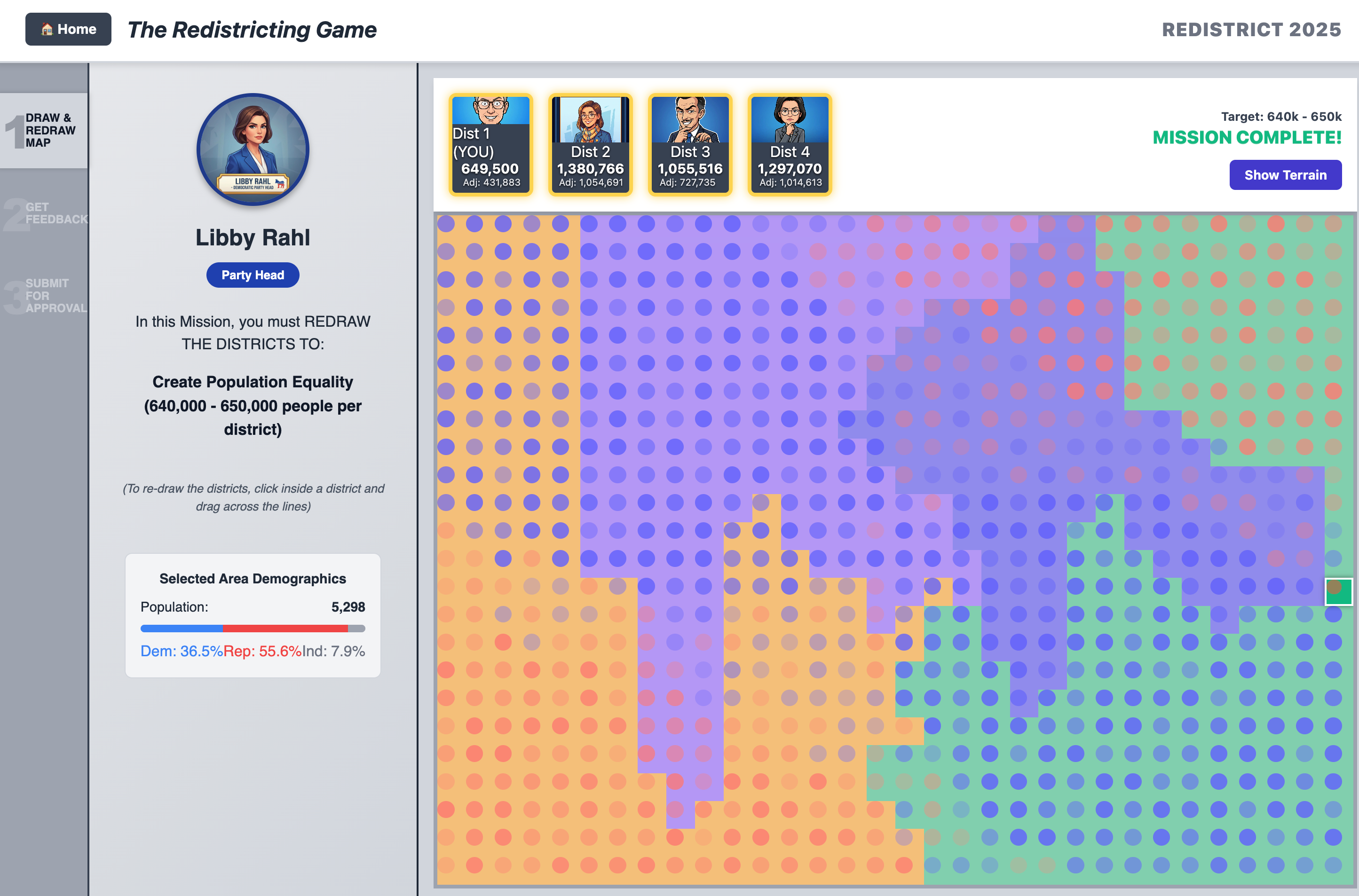
Over the past few weeks, I’ve been working with tools powered by the Model Context Protocol (MCP) to build web applications, including my personal website and a pet health journaling platform. MCP-powered tools act as a "universal translator" for AI. Usually, when you prompt an AI, it doesn't know the details of your specific request, files, or local software. MCP acts as a bridge that lets the AI securely "plug in" to your actual environment. This allows the AI to not just answer questions, but to actively work on your files, build tools, write code, and solve problems using your specific context and constraints.
Recently, a teacher came into my office looking for an alternative to an old learning resource called the “ReDistricting Game”, a simulator originally produced by the USC Annenberg Center. The simulator can still be found via the Wayback Machine, but it was built on Flash. While an emulator like Ruffle allows it to run on modern browsers, we faced significant availability concerns because we’re a 1-to-1 iPad school— the resource would not function correctly on student devices.
In the past, we would have worked together to identify the core elements of the resource and searched for an alternative. Instead, I wondered whether an MCP-powered AI tool could help us “reimagine” the simulator from scratch. I proposed the idea to the teacher, and got to work. As part of this experience, I documented the process for other instructional coaches or educators interested in using these tools. As you consider the use of these tools, I want to emphasize the importance of careful planning, development, and deployment. Across these three facets, there are pedagogical and technological considerations that must be addressed to ensure you meet your learning objectives.
Planning
Whether starting from scratch or reimagining an existing resource, it is vital to first understand the desired learning outcome. The second consideration is determining which interactions between the user and the resource will achieve that desired outcome.
In the case of the ReDistricting Game, several “missions” force users to consider the impact of redistricting, partisan gerrymandering, and bipartisan gerrymandering. If you are reimagining an existing resource, much of this work is already done for you—your job is to identify how the resource achieves its goals. For this project, the simulator achieves these goals through a demographic map of voters, feedback from “district politicians,” and the ability for the user to alter the maps via mouse clicks and receive feedback. You must clearly define the objectives, the rules, and the mechanics. You will find that building the resource is the easy part; the difficulty lies in evaluating whether the rules actually facilitate the learning objectives.
From a technical perspective, you need to find the MCP-powered tool or workflow that fits your needs. Tools such as CodeConductor, Claude Code, or Google AntiGravity are great places to start. Beyond selecting a tool, you identify all necessary stakeholders and work with them to define the scope of the project. These stakeholders can include the educators, instructional coaches, and members of your technology team. Considerations should include:
- Hosting requirements: Where will this live?
- Access and availability: Who can see it? What level of access to they have?
- Data privacy and security: Is this resource collecting data? Is student data being protected?
- Costs: Are there API credits or fees involved? If looking at 3rd party hosting, do usage rates apply?
Stakeholders can help you understand your infrastructure and whether you can host projects internally. This collaboration can reduce costs and improve security, as many institutions can restrict access to resources on an internal network. Having strong pedagogical and technical conversations early will save you grief during deployment. Finally, as an instructional coach, consider the implications of success. If the project is successful, other educators will come seeking their own resources. Is your plan elastic? Does it consider the manpower required for a wider request for custom tools? How would you handle and gauge the merits of requests for custom educational resources? These are critical questions to answer during the planning phase.
Development
The value of MCP tools lies in how they handle context and act on your behalf in a way that standard prompting cannot. It is important to start with a foundation and slowly build out functionality. For this project, I took screenshots of different sections of the original ReDistricting Game, carefully labeled them, and wrote definitions of their intended purposes.
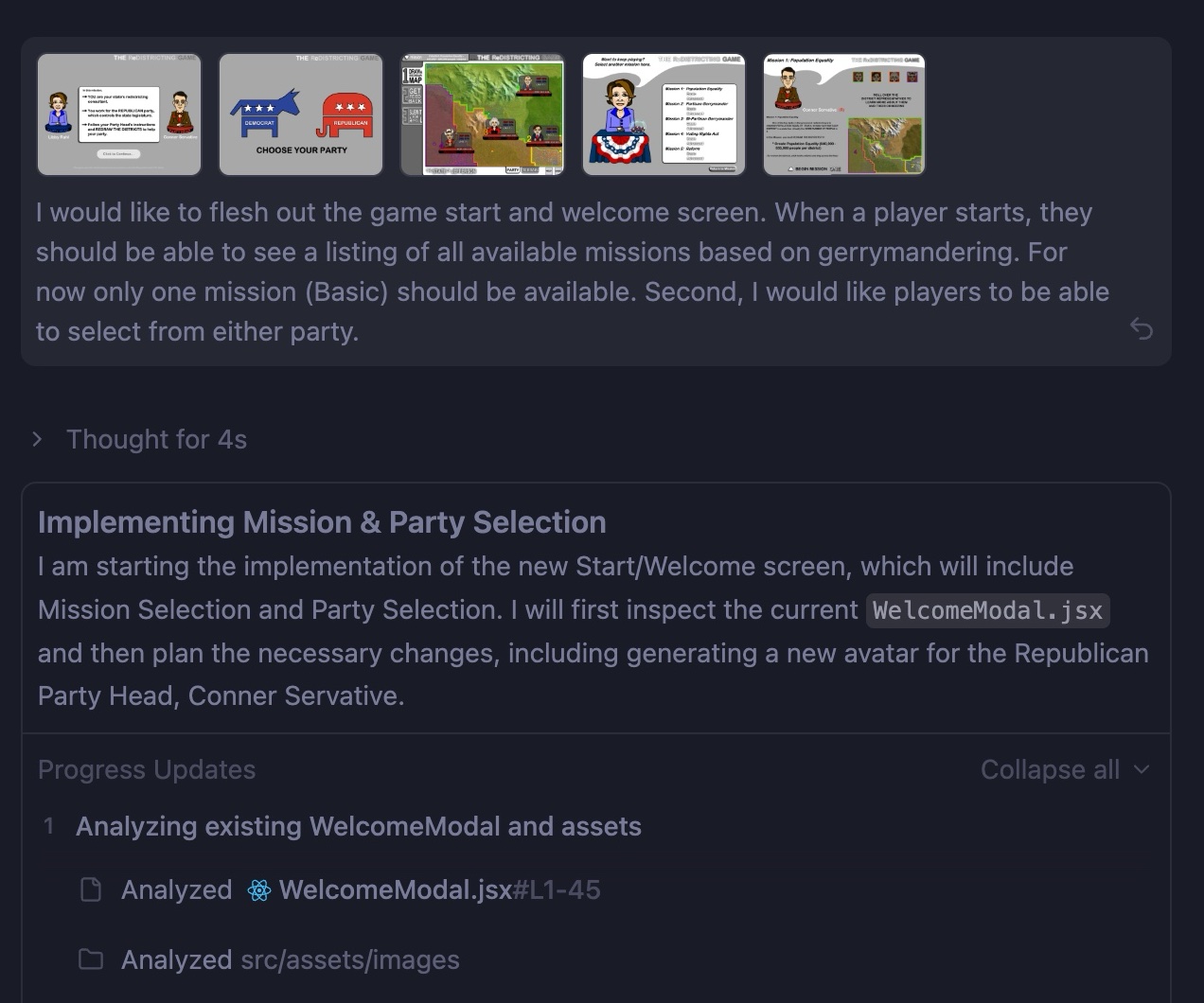
Using AntiGravity, I uploaded those screenshots to create a user experience and assigned functionality to the UI elements using my definitions. You can check, in real time, how your prompt affects the development of your custom educational tool using a localhost server.
There are two specific aspects of the development cycle that require rigorous testing:
-
Pedagogical Testing: You will need to consider how the different elements of your tool play into the achieving the intended learning objectives. For this project, clicking a section to alter a map is not enough. I had to ensure that when a user completed a mission, it actually aligned with the intended learning outcome. I defined rules so that map blocks were assigned random population counts and voter demographics (D, R, or I). I also ensured a "majority overlay" was available for users to analyze their work.
-
Functional Testing: You will need to test the entire project experience as you work, including on external devices to ensure accessibility requirements are being met. I requested AntiGravity to launch a localhost server and allow me to remotely connect using devices separate from my computer. I was then able to test the user experience on an iPad, jotting down notes and things that didn’t work, circling back to correct the errors using prompts and retesting afterwards. Please note that security contrains place by your institution, such as firewalls, may limit your access to a localhost server on external devices. If you have issues, it would be helpful to loop in your technology team, specifically anyone who works in networking to provide you with guidance.
For anything you produce, you must constantly refer back to your learning objectives to ensure the software is serving the pedagogy, not the other way around.
Deployment
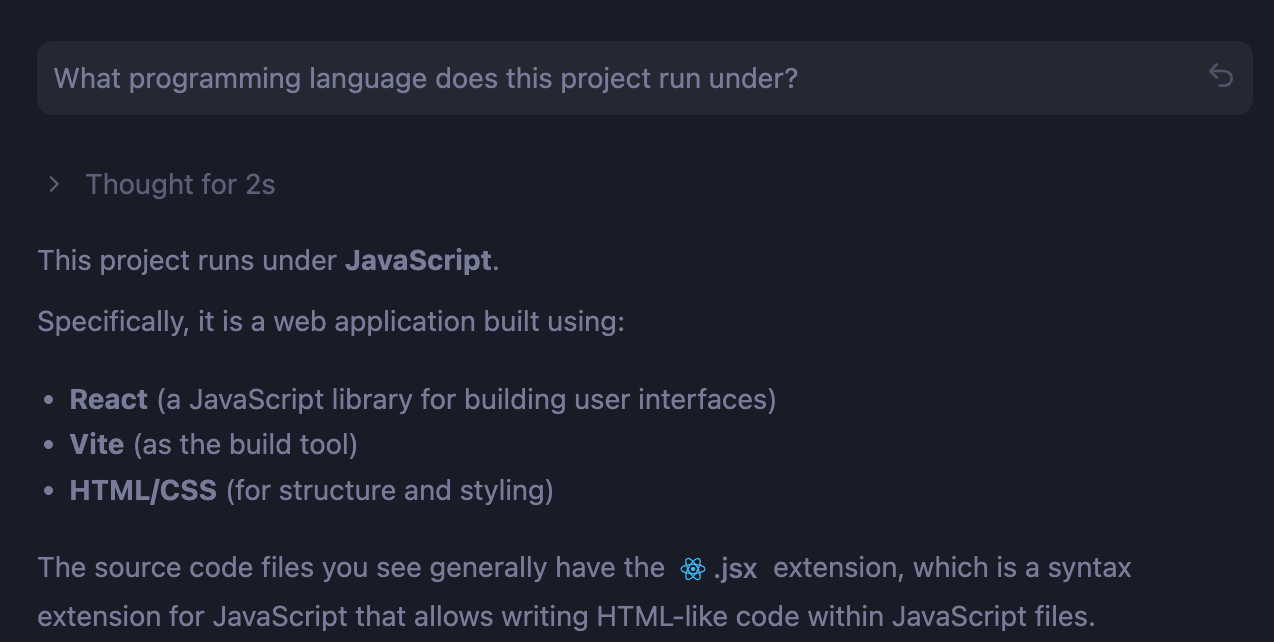
The final step is pushing your project to a production environment. If you have been in communication with your technology department, they may help set up your project on an internal server. If your institution does not support internal hosting, you may need a third-party alternative. Standard website hosts (like Bluehost or Ionos) may not have the capability to host complex web apps, especially those requiring databases. Double-check the programming language of your project and confirm compatibility. You may find more success with providers such as Heroku, Render.app, or AWS. The advantage of MCP-powered tools like AntiGravity is that they can often help you publish your project to these services directly via the command line.
Conclusion
As we consider the ethical and academic implications of AI in education, a new field of differentiated learning is opening up. Instead of having students use AI tools directly, educators can employ these tools to reimagine lessons, build interactivity, and improve accessibility for existing resources.
This is a vital area that merits deep consideration but requires collaboration between educators, instructional coaches, technology teams, and administrators. You can access a demo of the “reimagined” ReDistricting Game here. My hope is that by demonstrating what is possible, we can engage in deeper discussions to evaluate the merits of these tools in education. If you are interested in learning more or collaborating on this topic, please feel free to reach out.